thankQ Help
You can offer your donors the choice of a receipt issued in their own name or their Organisations Name. This option is turned OFF by default.
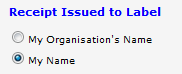
To use this option.
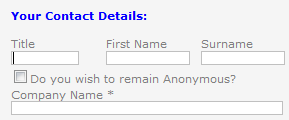
1.In the Company Label field, enter a suitable label. This will make this field visible on your donation page. These fields are covered in more detail in the Name and Address Details section on page above.
|
|

2.In the Receipt Issued to Label field, enter a suitable message.
3.In the Receipt Issue in Company Label and Receipt Issue in Individual Label, change the labels if you wish.
|
|

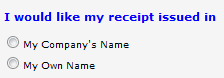
4.Click Save, then Preview to see how the receipt options will appear on your donation page.
5.If a donor selects the Company Name receipt option, the Company Name field will become mandatory.
 |