thankQ Help
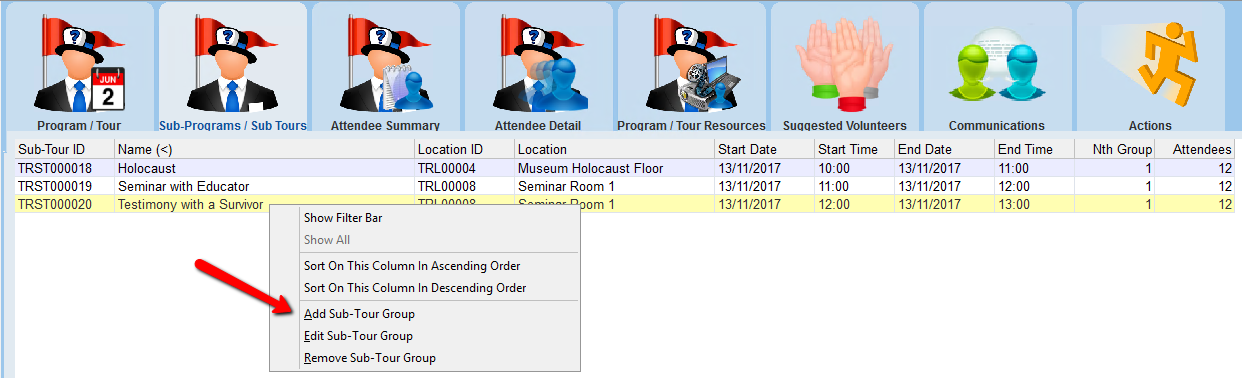
1.Right click in the window of the Sub-Programs / Sub Tours tab
2.Select Add Sub-Tour Group
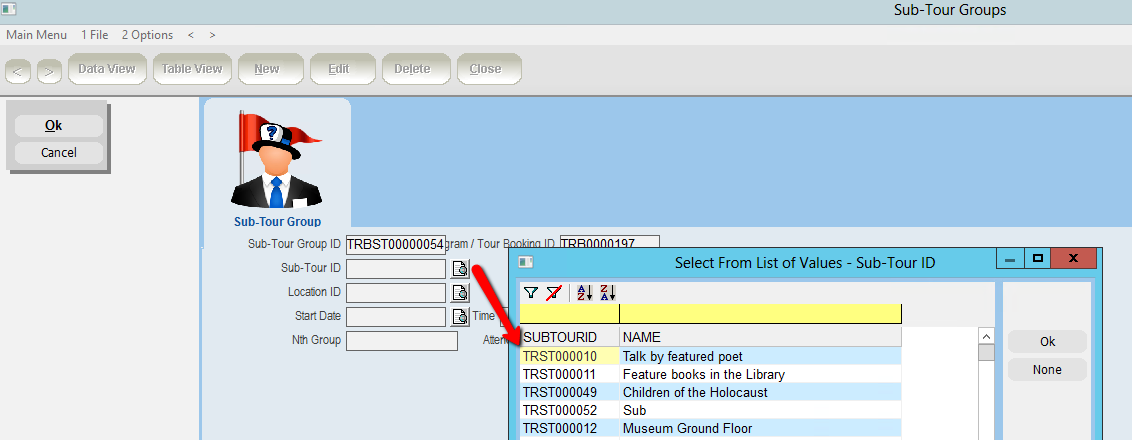
3.Enter or select the Sub-Tour Id
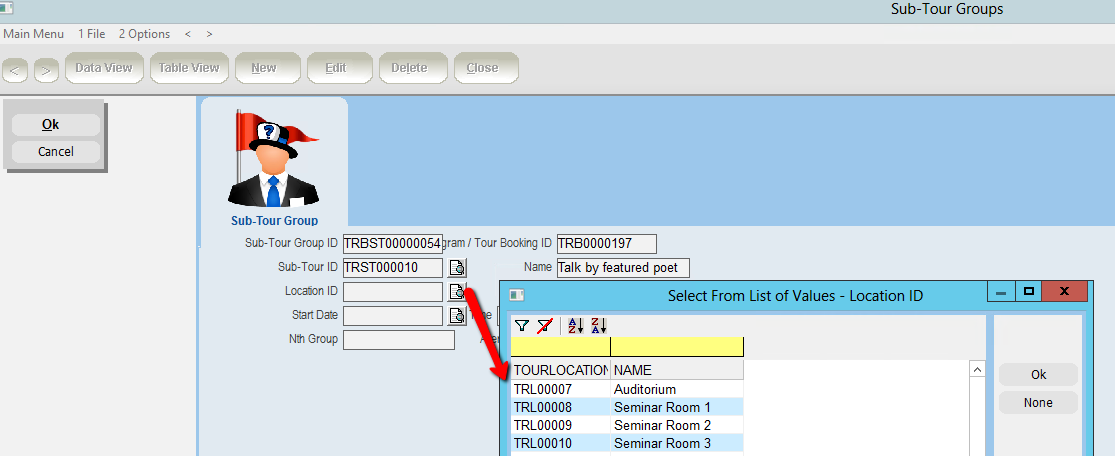
4.Enter or select the Location Id
5.Enter or select a Start date, Time
6.Enter or select an End date, Time
7.Enter the Group Number and Attendee Count
8.Click OK and Close
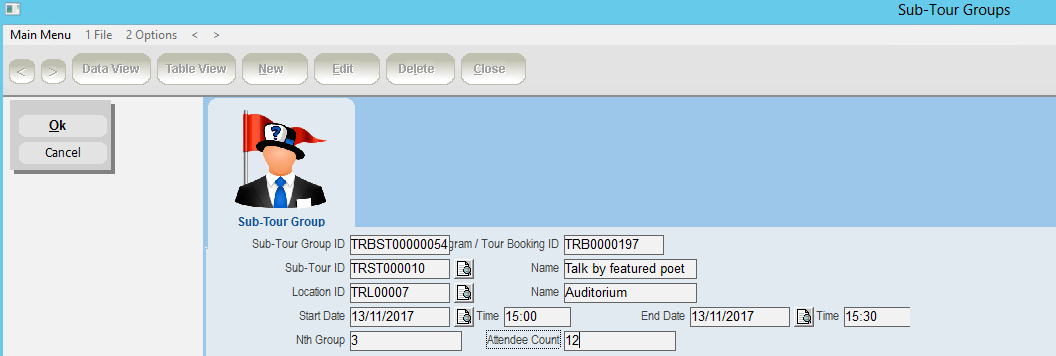
When a sub tour is added the appropriate resource will be assigned.